
📄 Invoice & Expense Tracker
Send Invoices, Track Expenses, and See Your Profit — All in One Place
No more switching between apps. Create professional invoices, log every expense, and watch your profit update in real time. When a client pays, it syncs to your P&L automatically.
 60-second setup
 No credit card required
 30-day free trial
Try every YourProfitBook feature free for 30 days
New accounts get full Business access free for 30 days — no credit card required. Choose a plan after your trial to keep going. Plans start at $4.99/month. Your records remain safe if you do not subscribe.
Your 30 days of full Business access start when you create your account — no payment information needed. After your trial you choose a plan (starting at $4.99/month) to keep adding to your books. Cancel anytime. Your records remain safe if you do not subscribe.
From invoice to receivable to reported revenue
Invoicing and expense capture are not separate tools bolted together — both post into the same double-entry ledger, so revenue, receivables and profit stay in agreement.
Professional Invoices
Create and send invoices with your business name, logo, and payment terms.
Auto-Sync to P&L
When a client pays, the income appears on your dashboard automatically.

Expense Tracking
Log expenses manually or scan receipts. See the impact on profit instantly.
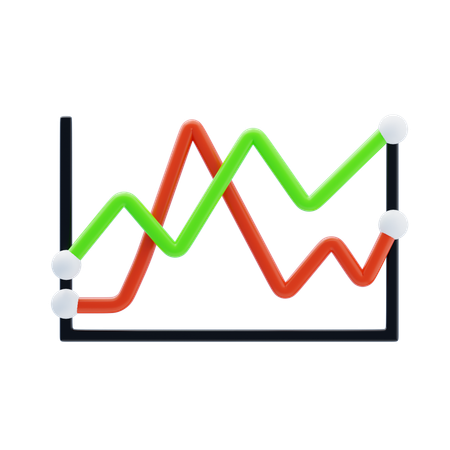
Profit Dashboard
Revenue from invoices minus expenses = your real profit, always current.

Online Payments
Clients pay online via Stripe. Funds go to your account, P&L updates.
Reports & Export
Download invoice history, expense reports, and P&L as PDF or Excel.
🚀 How It Works
Up and running in minutes
Create an invoice
Add client details, line items, and send it in under a minute.
Track expenses
Log costs or scan receipts. Everything goes to your P&L.
See your profit
Invoice income minus expenses = your real bottom line.
No credit card required · 30-day free trial
Built for businesses that bill for their work
Service and project companies, contractors and trades, and any operating business that raises invoices and carries costs against them.

Freelancers
Invoice clients and track project expenses from one dashboard.

Contractors
Bill for jobs, track material costs, and see profit per project.

Home Services
Send invoices after each job and track supply expenses.

Beauty & Wellness
Invoice corporate clients while tracking product and rent costs.
Real accounting underneath, not a spreadsheet with a dashboard
The figures on your dashboard come from posted double-entry transactions — the same records your accountant will review at year end.
Double-entry general ledger
A maintainable chart of accounts with debits and credits behind every transaction, not one-sided categorised entries.
Bank reconciliation
Match connected or imported bank activity against the ledger so your books agree with your statements.
A/R and A/P controls
Invoices, customer balances, vendor bills and payables tracked as real receivables and payables, not notes.
Trial balance and statements
Trial balance, profit & loss, balance sheet and cash-flow reporting produced from the same posted data.
Full audit trail
Every posting, edit and journal entry is recorded, so changes can be traced and explained.
Period close
Close a period, lock the numbers and stop prior-period figures shifting after you have reported them.
YourProfitBook keeps your books and reporting in one place. It does not file tax returns and it does not replace your accountant.
🔗 More than invoicing + expenses
Your invoices and expenses are the start — not the whole picture
Invoicing and expense tracking are where most owners begin, but the same data drives everything else in YourProfitBook. Every invoice you send and every expense you log flows straight into the numbers that tell you whether you're actually making money — no re-entry, no separate spreadsheet.
Invoices become income
When a client pays, the invoice is marked paid and the income posts to your P&L automatically — no manual bookkeeping step.

Bills and expenses become cost
Vendor bills and logged expenses land in the same ledger, so revenue minus real costs is always current.

Cash flow you can see
Money in from invoices and money out from bills roll up into a cash view — what came in, what went out, what is still owed.

Profit per job or client
Tag invoices and costs to a job or customer and see which work and which clients actually make you money.
Reports without the export dance
P&L, revenue by client, and expense summaries build themselves from the invoices and expenses you already entered.

Answers, not just records
Financial Intelligence reads the same data and explains what changed in plain language.
Ask your numbers what's really happening
Because your invoices and expenses live in one connected system, you can ask direct questions and get answers grounded in your own data instead of digging through statements.
Start with invoices and expenses. As your business grows, the profitability, cash flow, reporting and financial intelligence are already there — no migration, no second app to learn.
Before you switch, the honest answers
Is this really accounting, or just invoicing with a chart on top?
Every invoice creates an accounts receivable balance and a revenue posting, and every expense posts against the relevant account. You get a trial balance, profit & loss, balance sheet and cash-flow report out of the same records, plus a full audit trail.
We already send invoices from another tool. Is switching worth it?
The gain is not the invoice itself — it is that the receivable, the payment, the bank line and the reported revenue stop being four separate places you have to reconcile by hand at month end.
What happens after the 30 days?
You choose a plan or stop. There is no credit card required to start, so nothing charges automatically at the end of the trial.
❓ FAQ
Frequently asked questions
Can clients pay invoices online?+
Yes. Invoices include a secure payment link powered by Stripe. When clients pay, the income auto-syncs to your P&L.
Is invoicing included?+
Yes. Invoicing is included on every paid plan, starting with Starter ($4.99/mo), and during your 30-day free trial.
Can I customize invoices with my logo?+
Yes. Add your business name, logo, and payment terms to every invoice.
Does it track both invoices and expenses?+
Yes. That's the whole point. One place for everything — so you always know your real profit.
Professional accounting power, without the friction
Set up your books, connect your operations and see where the money actually goes — with a full 30 days to decide.
No credit card required · 30-day free trial · Web & Android