YourProfitBook Product Demo
See how growing companies take control of their financial operations.
Watch the 30-second YourProfitBook demo, then explore Financial Intelligence, profitability, multi-entity accounting, close controls, job costing, inventory, cash flow, and reporting—all connected to one accounting system.
Full Business access for 30 days · No credit card required.
Inside the Platform
Professional accounting and financial operations for growing companies
Everything below is connected to one real accounting system — so the whole business reads off a single set of books.
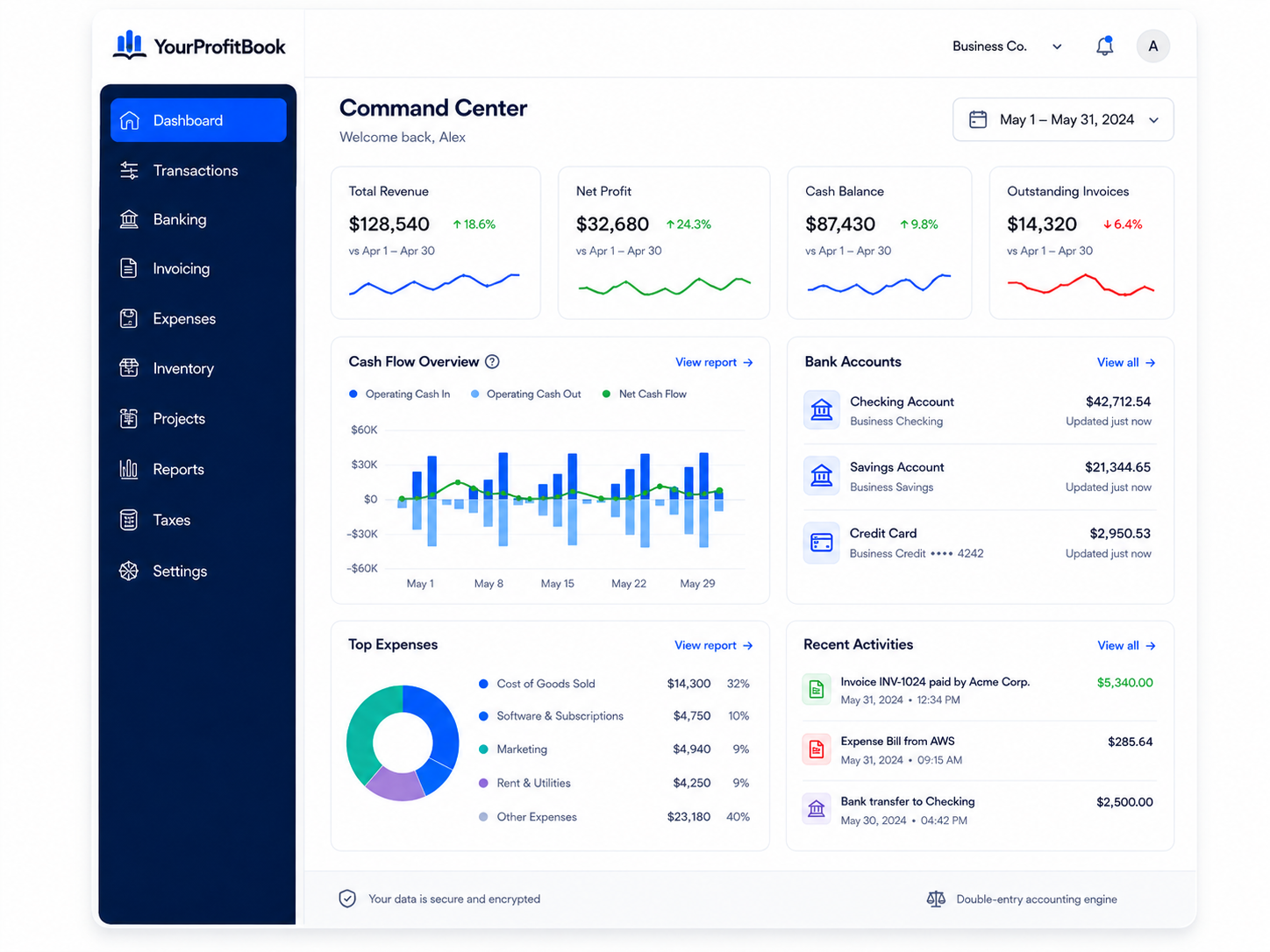
Financial Command Center
See the financial picture in one place.
One connected dashboard reads directly off your books, so the whole business is visible without stitching reports together.
Financial Intelligence
Ask what changed—and understand why.
Plain-English answers grounded in your real accounting data, not generic advice.

Financial Intelligence
Profitability Intelligence
Know what is actually making money.
Profitability broken down the way your business really operates.

Profitability Intelligence
Multi-Entity Accounting & Consolidation
Run multiple companies from one accounting platform.
Keep each entity’s books separate while seeing the group as a whole.

Multi-Entity Accounting & Consolidation
Close Center & Accounting Health
Close with confidence, not cleanup.
Guided period close with the checks that keep your books trustworthy.

Close Center & Accounting Health
Advanced Job Costing
See true margin on every job.
Every cost and dollar of revenue tied back to the job or project it belongs to.

Advanced Job Costing
Spend Management & Approvals
Control spending before it becomes a problem.
Approval rules and thresholds that keep spending in line as the team grows.

Spend Management & Approvals
Inventory & Purchasing
Manage purchasing, warehouses, receiving, FIFO, returns, and COGS.
Perpetual inventory that keeps valuation and cost of goods sold accurate on the ledger.

Inventory & Purchasing
Cash Flow, A/R & A/P
See what is coming in, what is due, and where cash is going.
Receivables, payables and cash movement connected to the transactions behind them.

Multi-Currency Accounting
Invoice and account across currencies with proper FX treatment.
Transact in multiple currencies while the ledger handles gains, losses and revaluation.

Multi-Currency Accounting
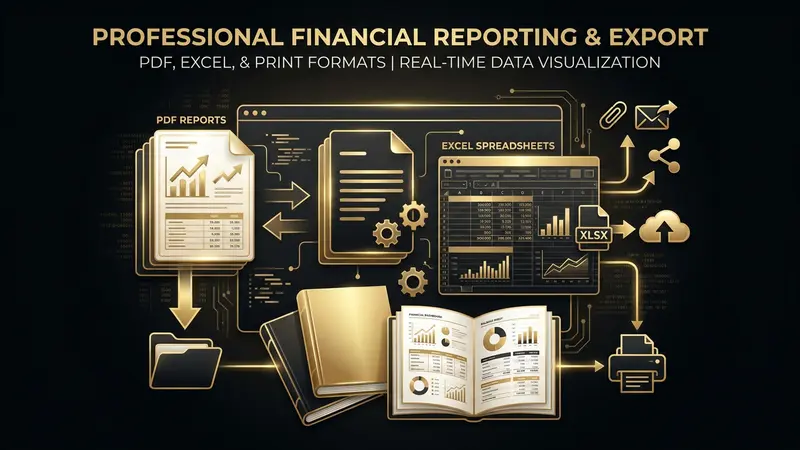
Custom Reporting & Command Center
Turn accounting data into decisions.
Build the reports you need and read the whole business off dashboards fed by posted activity.
Also Included
Everything else your books need
The everyday essentials are built in too — all posting to the same ledger as the company-level capabilities above.
Receipt scanning
Snap a photo and let AI read vendor, amount and category.
Invoicing
Create and send professional invoices that post to the ledger.
Bills & payables
Track what you owe and when it is due.

Bank reconciliation
Match bank activity to your books and catch what is missing.

Imports
Bring in history and activity from QuickBooks, CSV and Excel.
Exports
Export statements and reports in PDF and Excel.

Projects
Organize work, costs and revenue by project.

Contractor & 1099 readiness
Track contractors, W-9 status and 1099 eligibility.

Fixed assets
Register assets and run depreciation on schedule.

Budgets
Set targets per category and track against actuals.

Forecasting
Project revenue, expenses and cash across scenarios.
Chart of accounts
Shape accounts around how the business actually operates.
Built for Scale
Built for companies that have outgrown basic bookkeeping.
The Difference
How It Differs From Traditional Accounting Software

Traditional Accounting Software
- ×Long implementation projects before the books are usable
- ×Operations, inventory and projects live in separate tools
- ×Reporting depth locked behind higher tiers or add-ons
- ×Owner-level answers require an accountant to assemble them
- ×Per-seat pricing that punishes involving your team
YourProfitBook
- Double-entry general ledger and chart of accounts from day one
- Sales, purchasing, banking, inventory, projects and time in one system
- Trial balance, P&L, balance sheet, cash flow and audit trail included
- Financial Intelligence explains posted results in plain English
- One subscription, no per-seat penalty for involving your team

Switch without starting over.
Move your history across with a direct QuickBooks import, or migrate from CSV and Excel files. Once your data is in, you keep working in a full double-entry system with reconciliation, A/R and A/P controls, financial statements and an audit trail.
YourProfitBook is not affiliated with Intuit and does not sync with QuickBooks on an ongoing basis — the import brings your history over so you can move forward on one set of books.
Common Questions
Frequently Asked Questions
Is YourProfitBook a full accounting system?
Does it support multiple companies?
Can accountants use it?
Does it support job costing?
Does it support inventory and FIFO?
Does it support foreign currencies?
Can I move from QuickBooks?
Do I have to connect my bank?
How does the 30-day trial work?

Prefer Using Your Phone?
Download YourProfitBook on Google Play and manage your income, expenses, receipts, invoices, reports, and cash flow from your phone.

See what your business is really telling you.
Start with full Business access for 30 days and explore professional accounting, financial intelligence, profitability, controls, and reporting.
No credit card required · 30-day free trial · Set up in minutes